iCarMode is built around simple, large, driver-friendly controls. One of the most useful ways to personalize the dashboard is the external app shortcut feature: assign one of your custom buttons to a favorite audio, navigation, utility, or automation app, then launch it from iCarMode without digging through the iPhone Home Screen.
These shortcuts work when the destination app supports a URL scheme or universal link that lets another app open it. That means support can depend on the app developer, the app version, and whether the app is still available in your App Store country.
How to set an app shortcut in iCarMode
1. Open iCarMode.
2. Go to Settings.
3. Find the custom app shortcut button you want to configure.
4. Choose one of the supported apps from the list.
5. Return to the dashboard and tap the shortcut button whenever you want to open that app.
For more details about iCarMode settings and custom app buttons, see iCarMode - Customization & Settings. If the app is not installed, iOS may not be able to open the shortcut. Install the app first from the App Store, then try again.
Music streaming apps
iCarMode already includes a big-button Music Player with Apple Music and Spotify integration, recently played music, favorites, offline music, and larger tiles for quick selection. External music shortcuts are useful when you prefer to jump straight into a dedicated music service, a personal cloud library, or a streaming app that has its own catalog and recommendations.
| Logo | App | Best for | Features and why it is useful in iCarMode | App Store |
|---|---|---|---|---|
 | Spotify | Music, podcasts, playlists | Spotify is a full music and podcast service with playlists, albums, podcasts, audiobooks, personalized recommendations, search, downloads for Premium users, and cross-device playback. It is a strong default shortcut for drivers who want one button for saved playlists, podcasts, and daily mixes. | App Store |
 | Amazon Music | Amazon library, music, podcasts | Amazon Music combines streaming songs, albums, playlists, stations, podcasts, and music already associated with your Amazon account. It is useful for Prime or Amazon Music Unlimited listeners who want fast access to their library, recommendations, downloads, and hands-free listening with Alexa-enabled devices. | App Store |
 | YouTube Music | Music videos, live versions, remixes | YouTube Music is strong for official tracks, live performances, remixes, covers, music videos, personalized mixes, mood playlists, and uploaded personal tracks. It is useful for users who discover music through YouTube and want access to versions that may not exist on traditional streaming catalogs. | App Store |
 | TIDAL | HiFi music, albums | TIDAL is aimed at listeners who care about audio quality, albums, curated playlists, music videos, artist discovery, and editorial recommendations. It is a good dashboard shortcut when your driving setup is built around a higher-quality audio system or favorite downloaded albums. | App Store |
 | Deezer | Music, podcasts, lyrics | Deezer offers music, podcasts, playlists, personalized recommendations, lyrics, playlist transfer tools, offline listening on paid plans, and HiFi options. It is practical for users who want a broad catalog plus music discovery and lyrics in one app. | App Store |
 | SoundCloud | Independent music, demos, DJ sets | SoundCloud is the place for independent artists, DJs, demos, remixes, DJ sets, and tracks that may not be on the major music services. It supports discovery mixes, playlists, creator follows, uploads, offline listening on paid plans, and a large community around emerging music. | App Store |
 | Anghami | Arabic and international music | Anghami is a music and podcast service with a strong Arabic and international catalog, personalized playlists, live radio-style sessions, podcast following, local MP3 library support, and offline downloads on Plus plans. It is useful for drivers who listen to Arabic music, regional playlists, and international tracks in the same app. | App Store |
 | Mixcloud | DJ mixes, radio shows, long-form audio | Mixcloud is designed for long-form audio: DJ mixes, radio shows, original tracks, livestreams, genre communities, and curator-led discovery. It is a good driving shortcut when you want extended mixes or radio-style shows that keep going without managing individual songs. | App Store |
 | CloudBeats | Personal cloud music | CloudBeats is for people with personal music collections stored in cloud services instead of a streaming catalog. It can be useful for offline folders, self-managed albums, playlists, and libraries stored in services such as Dropbox, Google Drive, OneDrive, Box, or similar cloud storage providers, depending on the current app version. | App Store search |
 | iSub | Self-hosted Subsonic music | iSub is included for users with a Subsonic-compatible personal music server and a compatible iOS client installed. It is useful for self-hosted music libraries, personal collections, and offline listening workflows, though current App Store availability can vary. | App Store search |
 | gMusic | Legacy music app support | gMusic is a legacy shortcut for users who still have a compatible Google Music-style app installed. Since Google Play Music itself was discontinued, this entry is best treated as backward compatibility for existing users rather than a recommended new install. | App Store search |
Radio and live audio apps
iCarMode's Radio Player includes global radio stations, favorites, station search, local/country/language filters, Shazam recognition from the radio screen, mini-player support, and background playback. The shortcuts below are useful when you prefer a dedicated radio service, personalized station app, or internet radio app.
| Logo | App | Best for | Features and why it is useful in iCarMode | App Store |
|---|---|---|---|---|
 |
Pandora | Personalized radio | Pandora is built around personalized stations: start from an artist, song, genre, or podcast and let the app keep playing similar content. It is especially convenient for driving because it works well as a lean-back radio experience, with station modes, podcasts, offline options on paid plans, and CarPlay support. | App Store |
 |
TuneIn Radio | AM/FM, news, sports, live radio | TuneIn is useful when you want live audio instead of an on-demand playlist. It brings together AM/FM and internet radio, news stations, sports talk, live games in supported plans, music stations, podcasts, and global radio browsing. | App Store |
 |
iHeartRadio | Local radio, podcasts, talk | iHeartRadio focuses on live radio stations, podcasts, artist stations, playlists, and local audio. It is a good shortcut for users who still think in terms of stations and shows, especially for commuting, morning radio, talk, sports, and local programming. | App Store |
 |
Online Radio Box | Internet radio by station, country, genre | Online Radio Box is useful for internet radio listening by country, city, station, and genre. It is a good shortcut when you prefer live stations, international radio, favorite station lists, and quick access to streams outside the major music services. | App Store search |
Music recognition, lyrics, and audio tools
iCarMode includes a dedicated Shazam feature and can also recognize songs from the Radio Player. These shortcuts are useful when your driving workflow includes identifying a song, checking lyrics, or opening a dedicated audio utility.
| Logo | App | Best for | Features and why it is useful in iCarMode | App Store |
|---|---|---|---|---|
 |
Shazam | Music recognition | Shazam is useful for the moment when a song comes on and you do not want to lose it. It identifies music around you, shows artist and track details, can surface lyrics and concert information, and makes it easy to continue listening through a music service after the drive. | App Store |
 |
SoundHound | Music recognition by listening, singing, or humming | SoundHound identifies music playing around you and can also recognize songs you sing or hum. It adds voice commands, discovery history, LiveLyrics, Apple Watch support, YouTube playback, and Apple Music or Spotify connections for saving and replaying discoveries. | App Store |
 |
Musixmatch | Synced lyrics and translations | Musixmatch is centered on synchronized lyrics, translations, lyric search, song identification, and lyrics while streaming through Spotify or Apple Music. Premium features include offline lyrics and lyric experiences on Lock Screen, Apple Watch, and CarPlay, making it useful for passengers or parked listening sessions. | App Store |
 |
Audioforge Equalizer | Audio tuning | Audioforge Equalizer is included for users who have a compatible equalizer app installed and want quick access to audio tuning. Depending on the app version, this kind of shortcut is useful for adjusting EQ presets, playback color, or audio processing before starting a drive. | App Store search |
Podcasts and audiobooks
iCarMode has its own Podcasts Player for favorite shows, episode lists, online/offline listening, and quick access while driving. External podcast and audiobook shortcuts are useful when you already manage your listening queue in a dedicated app.
| Logo | App | Best for | Features and why it is useful in iCarMode | App Store |
|---|---|---|---|---|
 |
Audible | Audiobooks and spoken-word audio | Audible is for audiobooks, podcasts, and spoken-word entertainment. It supports offline listening, playback speed control, bookmarks, sleep timers, Apple Watch and CarPlay listening, and library organization, which makes it useful for commutes and long-distance drives. | App Store |
 |
Apple Podcasts | Default iOS podcast listening | Apple Podcasts is the default iOS podcast app, with show subscriptions, episode downloads, queueing, search, charts, channels, transcripts where available, and cross-device listening through Apple ID. It is the simplest shortcut for users who already manage podcasts inside Apple's app. | App Store |
 |
Overcast | Smart podcast playback | Overcast is a podcast player focused on clean playback tools. Smart Speed shortens silences, Voice Boost evens out speech volume, playlists can be filtered and prioritized, episodes can be downloaded for offline use, and the app supports Apple Watch and CarPlay. | App Store |
 |
Pocket Casts | Podcast power users | Pocket Casts offers podcast discovery, playlists, smart playlists, filters, cloud sync, auto-downloads, trim silence, variable speed, volume boost, chapters, sleep timer, Apple Watch, CarPlay, AirPlay, Chromecast, Sonos, and web listening. It is a good shortcut for podcast power users who listen across devices. | App Store |
 |
Castro | Podcast queue management | Castro is built around managing a podcast queue rather than treating every subscribed episode equally. It is useful if you subscribe to many shows and want to triage new episodes, build a queue, adjust playback speed, and keep the next drive's listening list under control. | App Store |
 |
Downcast | Detailed podcast control | Downcast is a detailed podcast manager with subscriptions, manual feed URLs, automatic downloads, smart playlists, OPML import/export, iCloud sync, playback speed control, chapters, sleep timer, AirPlay, Google Cast, Apple Watch, and CarPlay support. It is a good fit for users who want more control over podcast storage and playlists. | App Store |
 |
Apple Books | Apple audiobooks and ebooks | Apple Books gives access to ebooks, audiobooks, downloaded books, reading progress, and Apple's bookstore. It is mainly useful as an iCarMode shortcut for audiobook listeners who keep purchases or downloads in Apple's Books app. | App Store |
 |
Stitcher | Legacy podcast support | Stitcher was a podcast and radio app, but the service has been discontinued. iCarMode keeps the shortcut for compatibility with older installations or users who still have an app build that responds to the URL scheme, but new users should choose Apple Podcasts, Overcast, Pocket Casts, Castro, or Downcast instead. | App Store search |
Navigation, location, and road alerts
iCarMode subscribers can use built-in Turn-by-Turn Navigation without leaving the app. The external navigation and location shortcuts are useful when you prefer a specific navigation provider, need precise what3words location sharing, or want road-alert tools. For more about what3words inside iCarMode, see How to use What 3 Words.
| Logo | App | Best for | Features and why it is useful in iCarMode | App Store |
|---|---|---|---|---|
 |
Waze | Traffic-aware navigation | Waze is navigation with real-time traffic, route changes, community reports, hazards, police alerts where available, crashes, closures, fuel prices in some regions, and ETA sharing. iCarMode can also open Waze home and work shortcuts, which is useful for one-tap commuting. | App Store |
 |
what3words | Precise location sharing | what3words divides the world into small squares and assigns each one a three-word address. It is useful for meeting someone at a precise roadside location, sharing a parking spot, guiding help to an exact place, or navigating to a specific entrance rather than a broad street address. | App Store |
 |
Flitsmeister | Traffic and road alerts | Flitsmeister is a traffic and road-alert app popular in supported European regions. Depending on country support, it can help with speed camera alerts, traffic jams, roadworks, incidents, route guidance, parking, and other road information. | App Store |
 |
CamerAlert | Camera and road alerts | CamerAlert is included for users who still have a compatible road-alert or camera-alert app installed. Because availability and regional rules can vary, treat this as a legacy/supported shortcut option and confirm that the current app in your country still supports external launching. | App Store search |
Driving utilities, files, and automation
Not every driving shortcut is an audio or navigation app. Some users want fast access to fuel prices, vehicle diagnostics, motorcycle maintenance, saved trip documents, Alexa routines, or Apple Shortcuts automation.
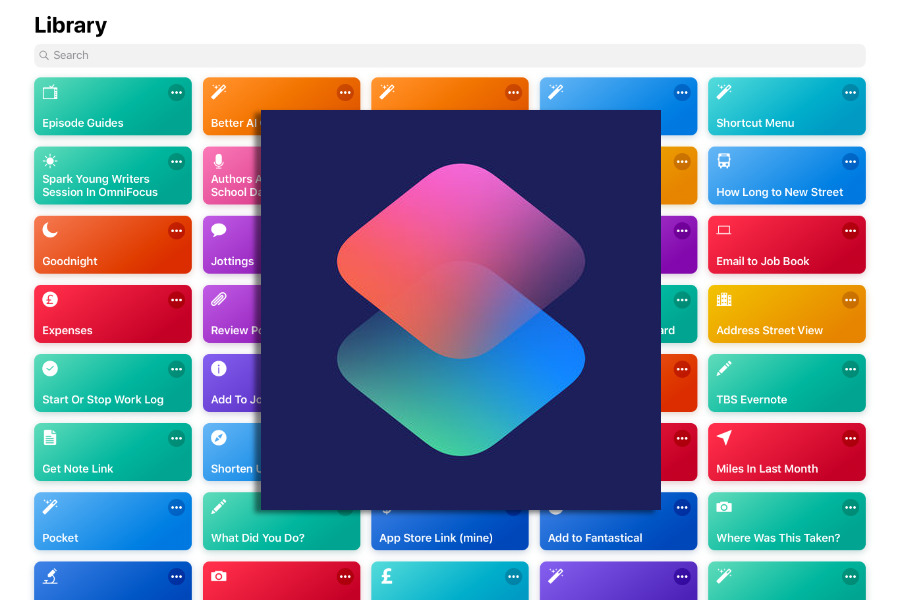
The Apple Shortcuts guide is especially useful if your favorite app is not directly supported by iCarMode yet.
| Logo | App | Best for | Features and why it is useful in iCarMode | App Store |
|---|---|---|---|---|
 |
GasBuddy | Fuel prices | GasBuddy helps drivers compare gas prices, find nearby stations, plan fill-ups, and save money on fuel through app features available in supported areas. It is one of the most practical shortcuts to place on an iCarMode dashboard for road trips and daily commuting. | App Store |
 |
OBD Fusion | Vehicle diagnostics | OBD Fusion connects to compatible OBD-II adapters to show vehicle diagnostics and live data from the car. It can read and clear check-engine codes, display custom dashboards, show gauges, track fuel economy, log data, and estimate whether supported vehicles are emissions-ready. | App Store |
 |
Documents by Readdle | Files, PDFs, saved trip media | Documents is a file manager and media utility for iPhone and iPad. It can organize files, view documents, play local media, manage downloads, connect to cloud storage, handle PDFs, and keep trip documents, offline files, or saved audio reachable from one shortcut. | App Store |
 |
Apple Shortcuts | Launching unsupported apps and automation | Apple Shortcuts is the most flexible option in the list because it can launch apps, run automations, open URLs, set up multi-step routines, and pass input between actions. In iCarMode, this is the best workaround when a favorite app is not directly supported: create an "Open App" shortcut and launch it from an iCarMode button. | App Store |
 |
Amazon Alexa | Voice assistant and routines | Amazon Alexa opens access to Alexa voice features, smart home controls, routines, reminders, lists, music services, connected devices, and compatible car or home automations. It is useful when your driving workflow includes Alexa routines or smart-home actions before leaving or arriving. | App Store |
 |
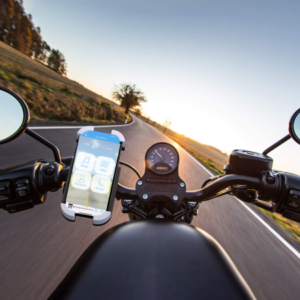
MotorManage | Motorcycle maintenance tracking | MotorManage is a motorcycle-focused maintenance tracker for riders who want quick access to service history, part wear, and upcoming maintenance tasks from their iCarMode dashboard. It is useful for motorcycle riders who use iCarMode as a riding dashboard and want a dedicated place to track service intervals, maintenance records, and motorcycle-specific upkeep before or after a ride. | App Store |
What if an app is not on the list?
iCarMode can only launch apps that expose a working URL scheme or universal link. If your favorite app is not listed, Apple Shortcuts is often the best workaround:
1. Create a Shortcut in Apple's Shortcuts app.
2. Add an "Open App" action.
3. Select the app you want to launch.
4. In iCarMode, choose Shortcuts as the app shortcut.
5. Enter the Shortcut name exactly as it appears in the Shortcuts app.
For a complete walkthrough, see Launch Any App from iCarMode Using Apple Shortcuts and How to launch a Shortcut from iCarMode.
A safer dashboard for the apps you already use
The goal of app shortcuts is simple: keep your most-used driving apps one tap away from iCarMode's large-button dashboard. Whether you prefer Spotify, TuneIn, Waze, Audible, Overcast, GasBuddy, MotorManage, Apple Shortcuts, or another supported app, iCarMode gives you a faster way to jump into the tools you already rely on before or during a drive.
Have an app you would like to see added to the supported shortcut list? Contact us from iCarMode's settings and we will check whether the app supports external launch links.
About iCarMode
iCarMode acts as a customizable car dashboard app for iPhone, allowing drivers to access navigation, music, and nearby places safely while on the road.

Drive Safely.