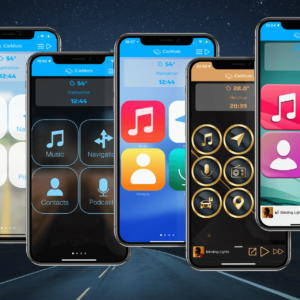
iCarMode 9.0 introduces the new Driving Dashboard, bringing navigation, audio, driving information, and frequently used actions together on one glanceable screen.
One of the dashboard’s most useful new features is Arrival Shortcuts. It allows iCarMode to display a selected Apple Shortcut when you approach your saved Home or Work location.
For example, you can display a button to:
- Open your garage door
- Open a gate
- Turn on home lights
- Send an arrival message
- Run any other shortcut you have created in Apple’s Shortcuts app
The shortcut is not executed automatically. Instead, iCarMode presents a large, convenient button on the Driving Dashboard so you can run it when needed.
How Arrival Shortcuts Work
iCarMode uses the Home and Work locations saved in its Navigation settings.
When the Driving Dashboard is active and you enter the configured arrival distance, the selected shortcut appears inside the navigation card. You can configure Home and Work separately, including a different shortcut and detection distance for each location.
Arrival detection is checked only while iCarMode is active.
Step 1: Create Your Shortcut
First, create the action you want to run in Apple’s Shortcuts app.
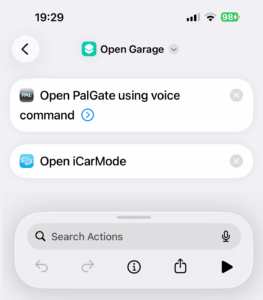
In this example, the shortcut is called Open Garage. It runs the command that opens the garage and then opens iCarMode again.
Adding Open iCarMode as the final action is recommended for shortcuts that temporarily leave the app. This returns you to the Driving Dashboard after the shortcut finishes.
To read more about iCarMode and Apple Shortcuts integrations, read this.
Step 2: Add the Shortcut to iCarMode
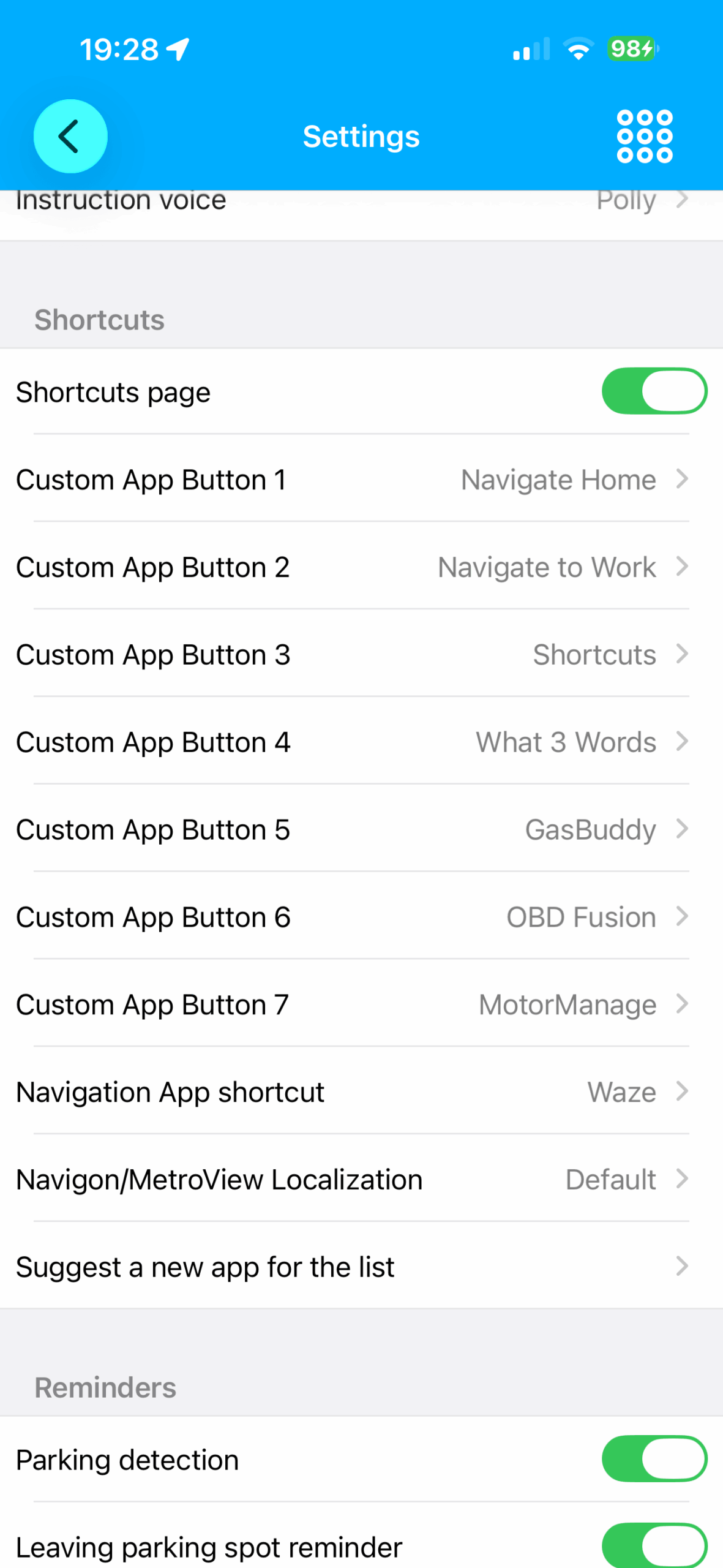
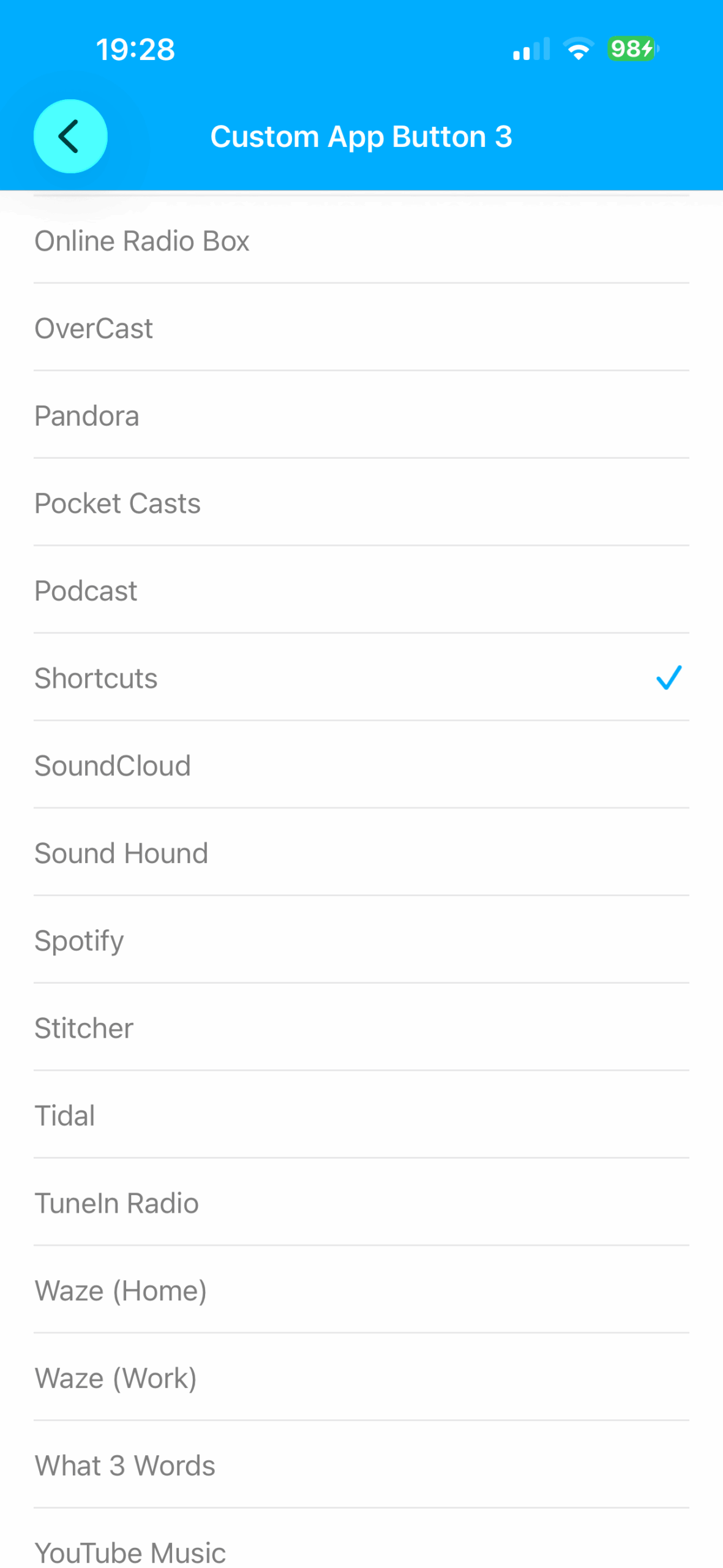
Open iCarMode Settings and scroll to the Shortcuts section.
Select one of the available Custom App Buttons, such as Custom App Button 3, and choose Shortcuts from the supported apps list.
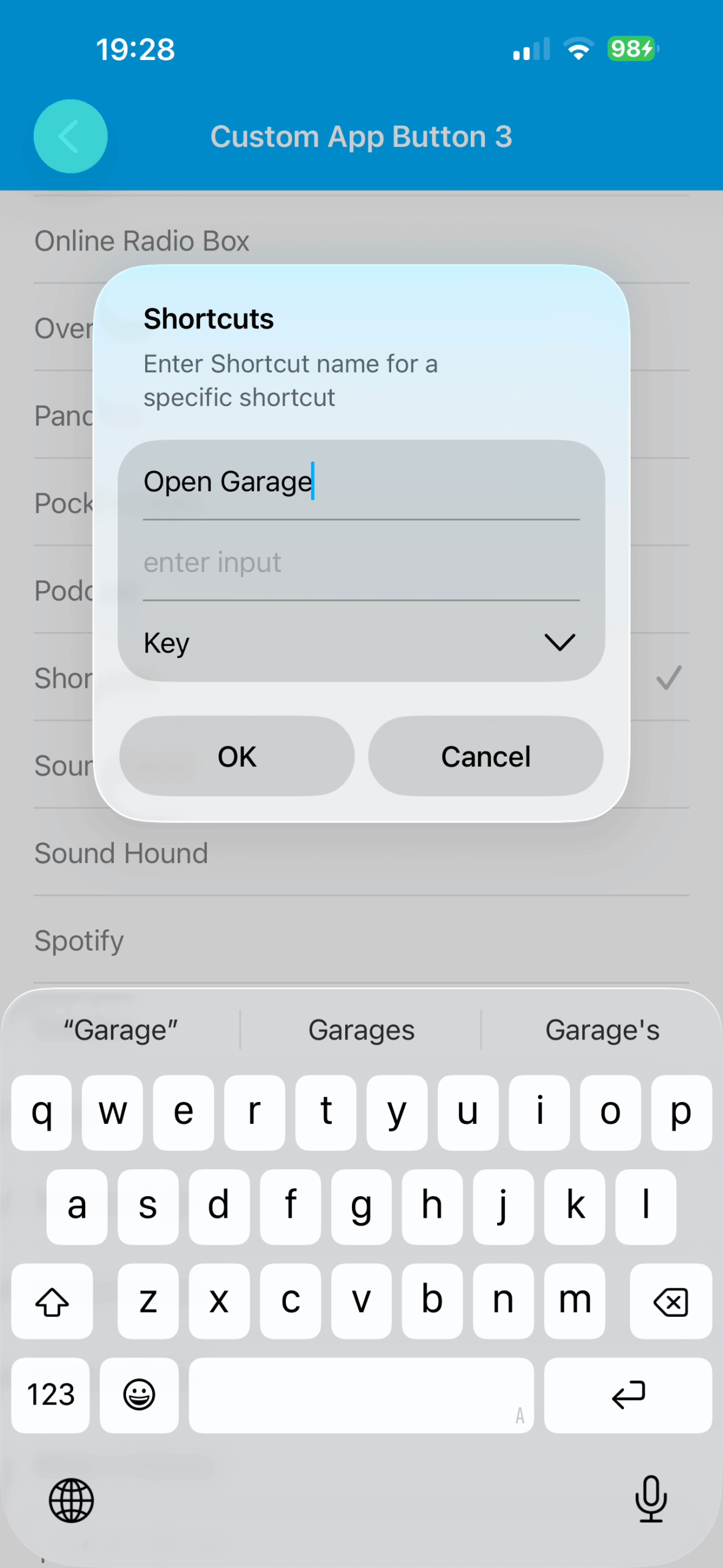
Enter the exact name of the shortcut as it appears in Apple’s Shortcuts app. In this example, the name is:
Open Garage
The shortcut name must match so iCarMode can open the correct shortcut.
Step 3: Configure the Arrival Shortcut
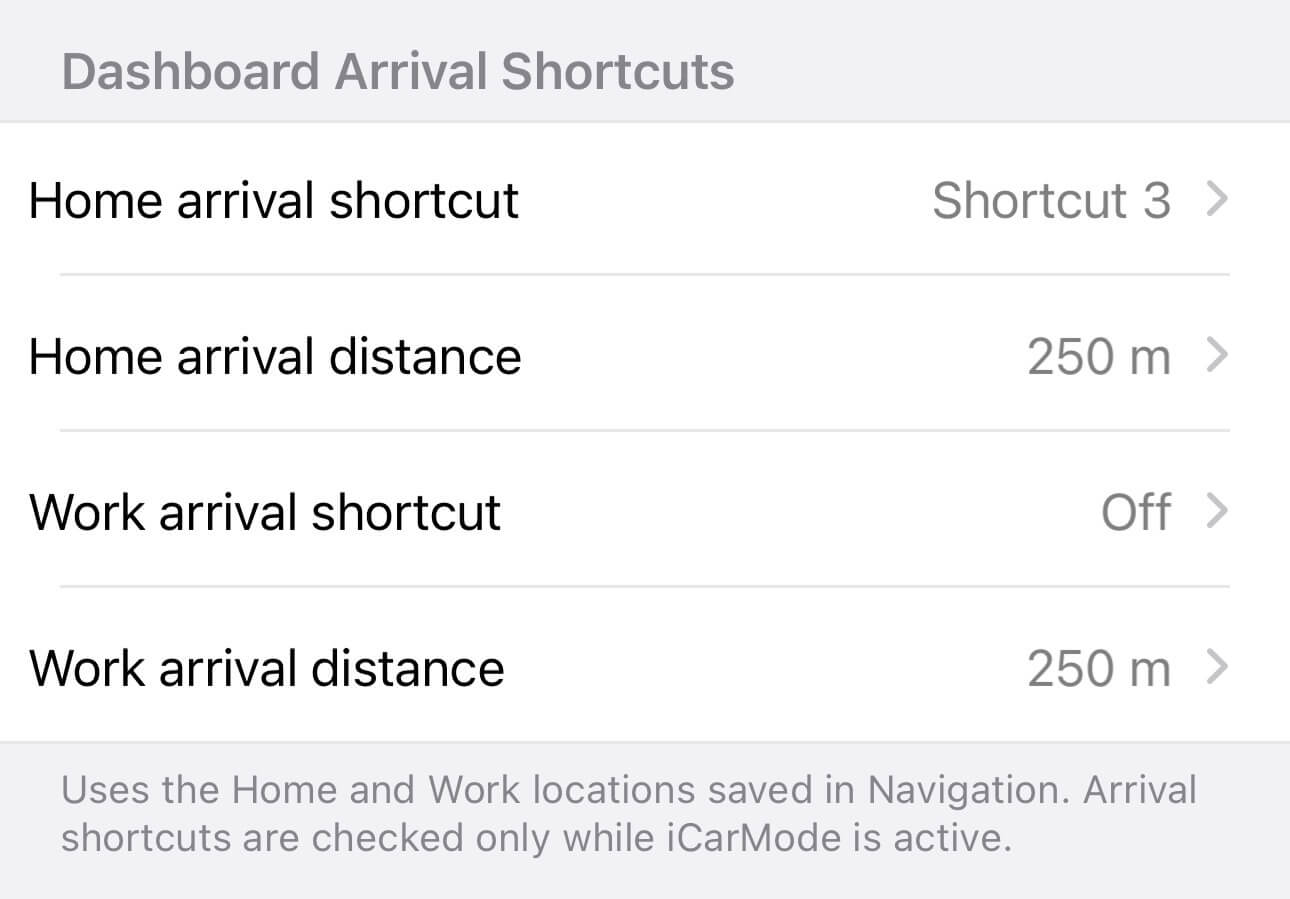
Open the new Dashboard Arrival Shortcuts settings.
From this screen, you can configure:
- Home arrival shortcut
- Home arrival distance
- Work arrival shortcut
- Work arrival distance
Select the custom shortcut button you configured earlier. For example, choose Shortcut 3 as the Home arrival shortcut.
You can also decide how close you need to be before the button appears. In the example shown, the Home arrival distance is set to 250 metres.
Home and Work settings are independent, so you can assign different shortcuts to each destination or leave either one turned off.
The Shortcut Appears When You Need It
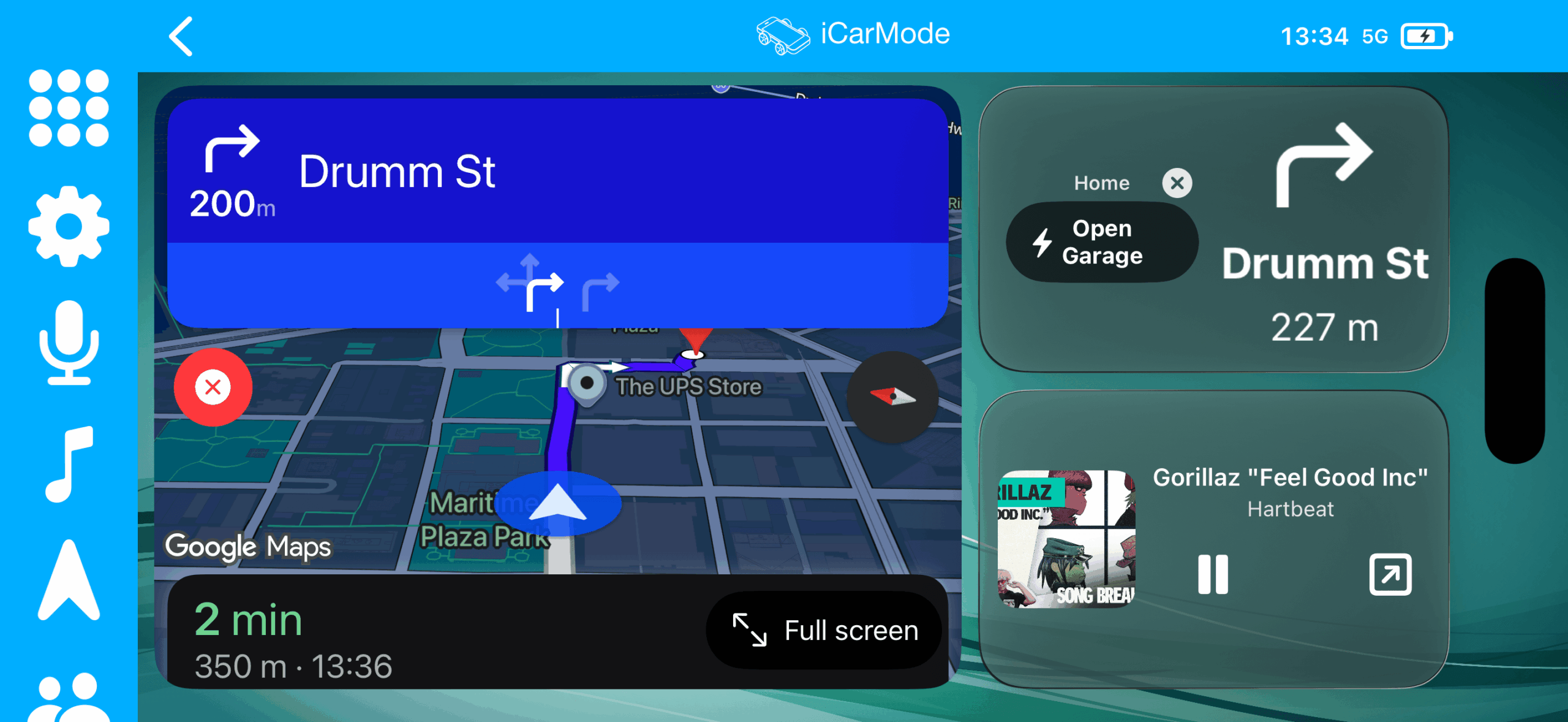
As you approach the configured location, the Driving Dashboard displays a dedicated arrival section with the shortcut button.
In the example, the dashboard shows:
Home — Open Garage
The button is positioned alongside the current navigation instruction, making it easy to find without opening another menu or searching through the Shortcuts app.
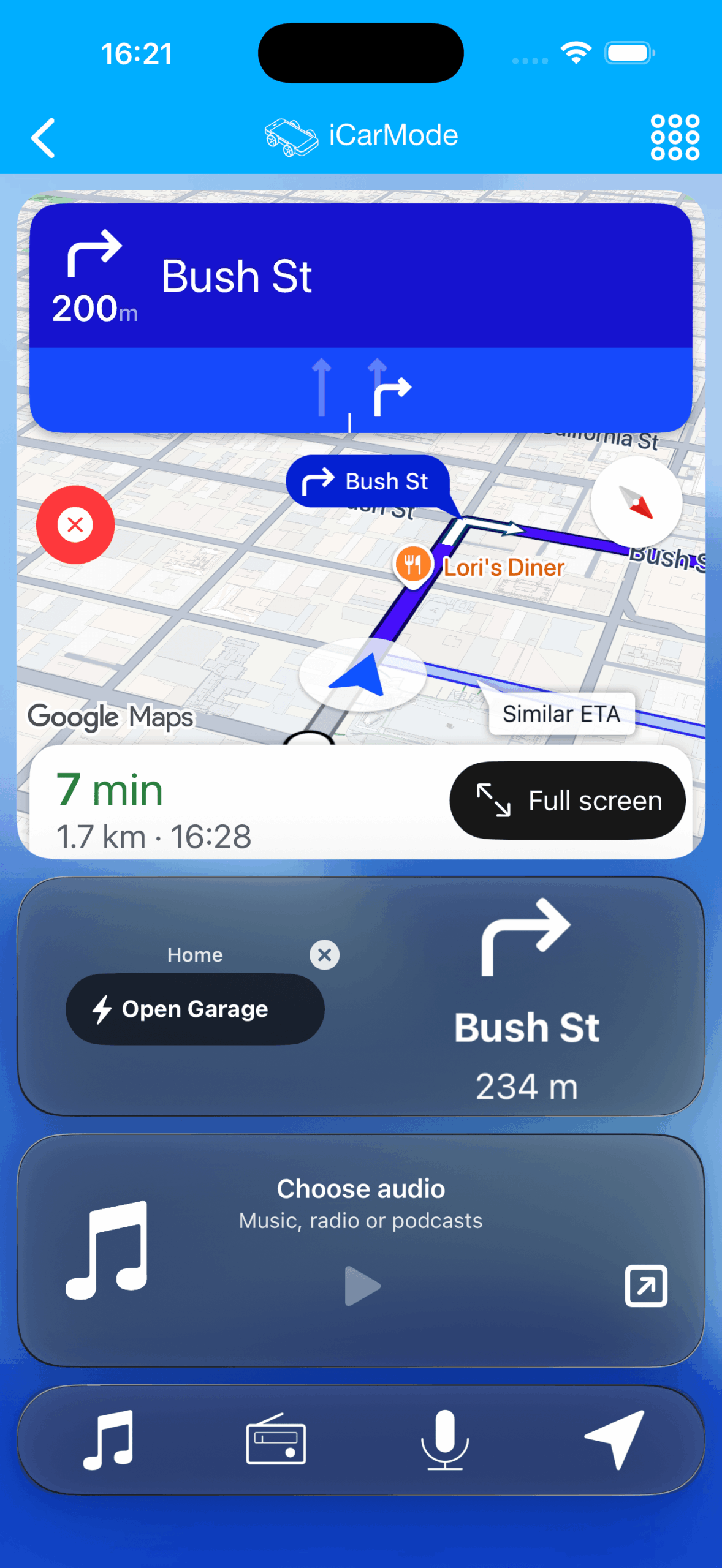
The same feature is fully supported in portrait mode, with the arrival action shown directly beneath the navigation panel.
A Smarter Dashboard for the Final Part of Your Drive
Arrival Shortcuts are designed for actions that are most useful during the final moments of a journey.
Instead of switching between apps as you approach home or work, iCarMode places the relevant action directly on the Driving Dashboard. The shortcut remains under your control and runs only when you tap it.
It is another way iCarMode 9.0 makes everyday driving actions faster, clearer, and easier to access.