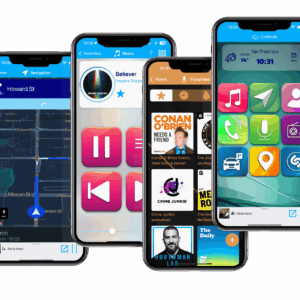
Introducing the new version of iCarMode with Shazam Integration.
As a driver, you may have experienced the frustration of hearing a song on the radio or in the background, but not knowing its title or artist. Well, fret no more, because the new version of iCarMode is here, and it comes with an exciting new feature that will make your driving experience even more enjoyable - Shazam Integration.
For those who don't know, Shazam is a popular music identification service that uses your phone's microphone to recognize songs and provide you with all the relevant information you need about them, such as title, artist, and album name. With the latest version of iCarMode, you can now use Shazam to identify songs around you or on iCarMode's radio player, and save these songs to your favorites playlist to enjoy these later on.
So how does it work?
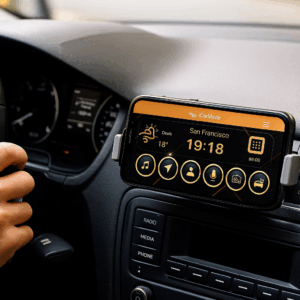
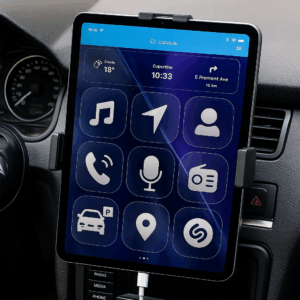
First, you'll need to make sure you have the latest version of iCarMode installed on your device. Once that's done, simply activate the Shazam integration feature by selecting it from the app's main menu and tap the Shazam button to identify the song in the background, maybe in your car's radio. Another option would be to tap the Shazam button the top right corner of iCarMode's built-in radio player and identify the song currently playing there. The identification process will only be a few seconds and than you can just tap the 'save' button to add this to your singles favorite playlist in iCarMode. These could be a great addition to this playlist for later listening.
In addition to Shazam integration, the new version of iCarMode comes with a few important fixes in the radio and podcast player and some user interface issues.
Overall, the new version of iCarMode is a must-have app for any driver looking to stay safe and entertained on the road. With Shazam integration and a range of other exciting features, it's never been easier to enjoy your favorite music and stay connected while driving. So why wait? Download iCarMode today and experience the ultimate driving companion.
Download iCarMode from the AppStore: