Whether you're looking for a gas station, coffee shop, restaurant, or EV charging station, iCarMode’s Places Nearby feature helps you quickly discover useful places near your location. With smart filters, clear categories, and detailed information, iCarMode makes it easy to find nearby services and navigate to them with just a few taps.
Designed specifically for drivers, the feature makes it easy to search, filter, and navigate to nearby places without distraction.
Quickly Find the Places You Need
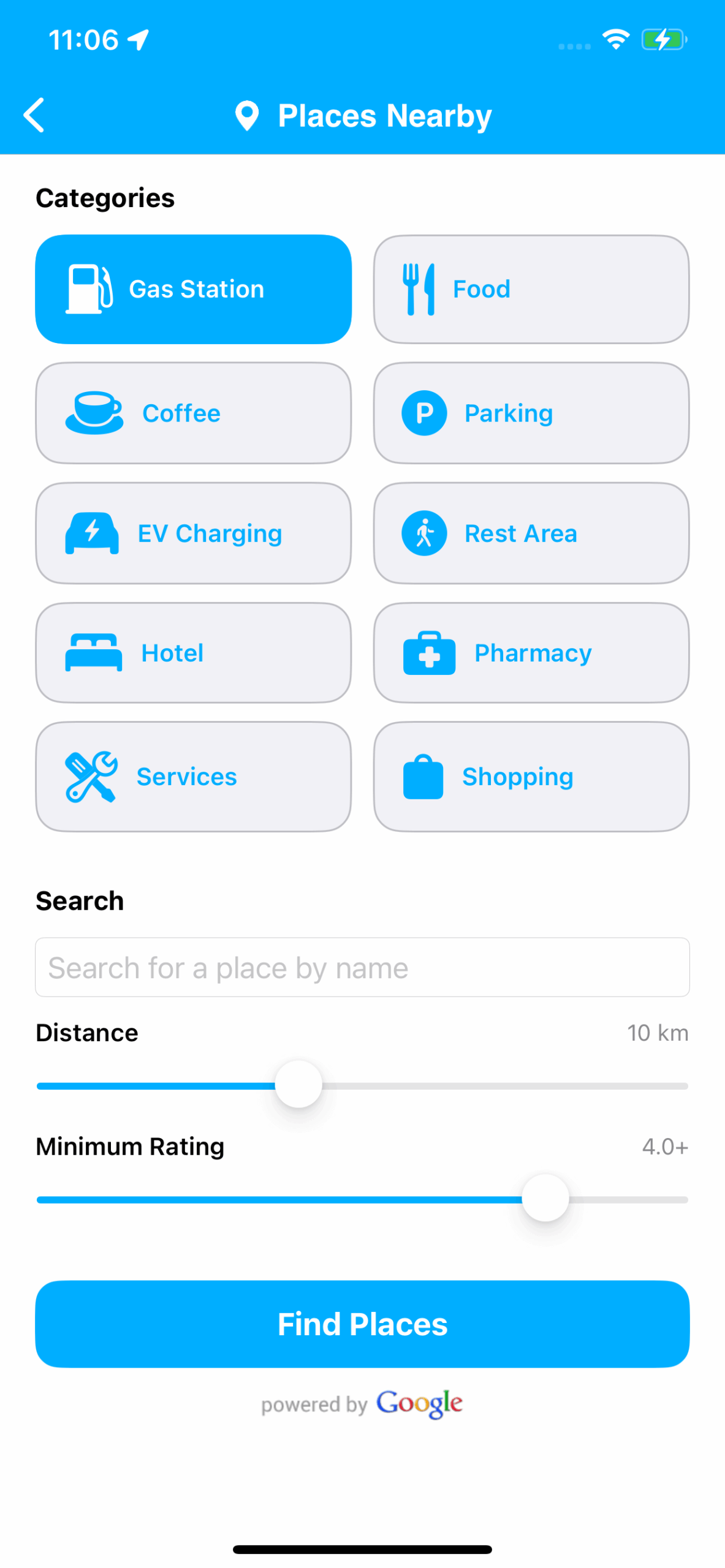
The Places Nearby screen allows you to search for locations around your current position. Instead of typing while driving, you can start by selecting one of the most common categories:
- Gas stations
- Food and restaurants
- Coffee shops
- Parking
- EV charging stations
- Rest areas
- Hotels
- Pharmacies
- Services
- Shopping
This allows drivers to instantly find relevant locations without manually searching.
For more flexibility, you can also search by name or keyword, making it easy to locate a specific place or brand.
Smart Filters to Refine Your Results
Not all nearby places are equally convenient. To help you find the best option, iCarMode lets you refine your search using simple filters.
You can filter results by:
Distance
Choose how far from your current location the results should appear.
Minimum rating
Show only places that meet your preferred quality level based on user ratings.
These filters help ensure you find places that are close enough and highly rated, saving time while driving.
Explore Results in List or Map View
Once you search, iCarMode presents results in two easy-to-use views.
List View
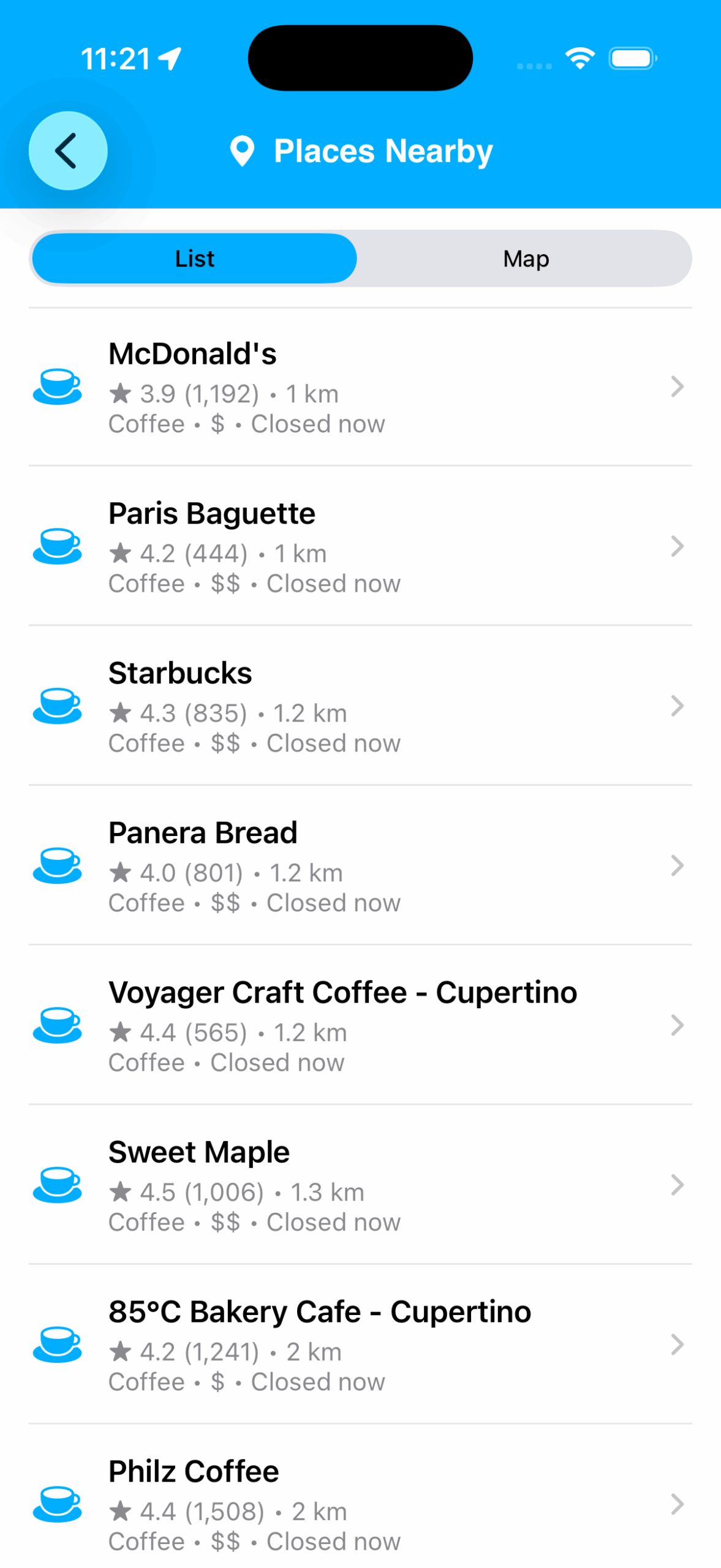
The list view displays nearby places with key details such as:
- Rating and number of reviews
- Distance from your current location
- Category
- Whether the location is currently open
This makes it easy to compare nearby options quickly.
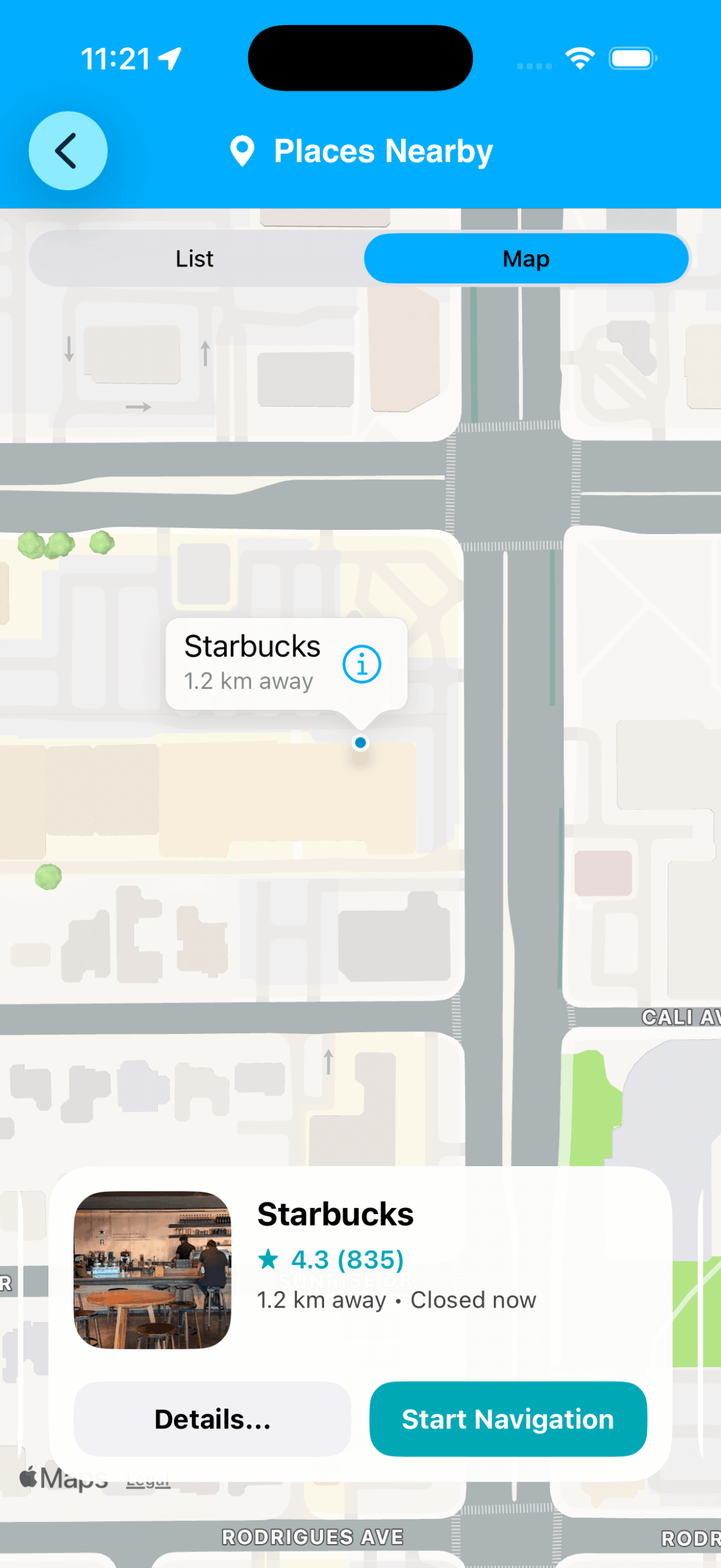
Map View
If you prefer a visual overview, you can switch to the map view.
Here, nearby places appear directly on the map, helping you see their exact location relative to your route.
Selecting a location reveals more details and quick actions.
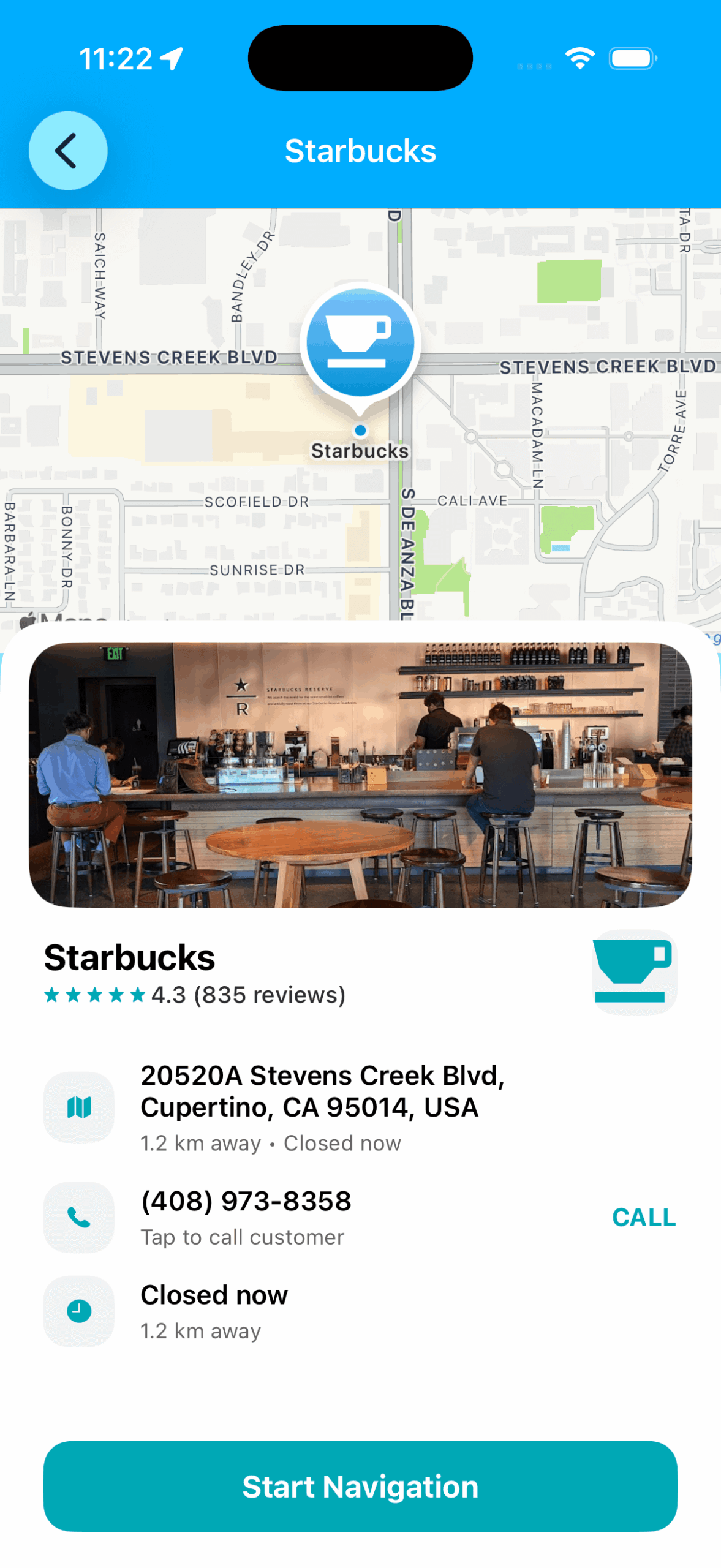
Detailed Information Before You Go
When you select a place, iCarMode displays a detailed view with helpful information, including:
- Photos of the location
- Rating and reviews
- Address and distance
- Opening status (open or closed)
- Contact phone number
This helps you decide quickly if the place is worth stopping at.
Start Navigation with One Tap
Once you've chosen a destination, iCarMode makes it simple to continue your journey.
With a single tap on Start Navigation, the app launches turn-by-turn navigation to guide you directly to the selected place.
No need to manually copy addresses or switch between apps.
Powered by Google Places
To ensure accurate and up-to-date information, the Places Nearby feature is powered by Google Places data.
This allows iCarMode to provide:
- reliable place details
- user ratings and reviews
- business hours
- photos and additional information
Designed for Drivers
Like the rest of iCarMode, the Places Nearby feature is designed with driving safety and simplicity in mind.
Large buttons, clear categories, and easy filtering allow drivers to find nearby services quickly without unnecessary complexity.
Whether you're searching for coffee, food, charging stations, or services, iCarMode helps you find what you need so you can stay focused on the road.
Enjoy!
Download iCarMode from the AppStore: